Plain definition, real numbers
Your search, knit into cloth. The estimator below does the honest math.
What AI integration actually is inside a product.
You searched "what is ai integration." Here is the plain version: AI integration is wiring a model's output into your product so it does real work — drafting, sorting, answering, deciding. Getting a good result in a playground is the easy 5%. The rest is what makes it safe to put in front of a paying customer.
The unglamorous parts are the actual job. Metering, so one runaway request doesn't bill you like a mortgage. A privacy boundary, so you decide what customer data ever reaches the model. A fallback, for the day the model times out or returns nonsense. And a real number for what each call costs. Skip those and you have a demo, not a feature.
I'm David Weaver, and I build these — solo, one name on the commission, and I answer the contact form myself. Start with the estimator below. It turns "we should add AI" into a cost per call and per user you can actually plan around.
01
Estimate the real cost of an AI feature
AI cost / unit-economics estimator
Estimate build range and rough monthly operating neighborhood from usage shape — not from vendor marketing. Exact numbers need your traffic and product design.
Expected monthly usage shape
What kind of AI surface?
Build $2,000–$8,000 · ops ~$160/mo
~$1,920 / yr run-rate
Operating figures are planning neighborhoods for metered product use — not invoices. Integration is engineering: metering, failure paths, and privacy matter more than demos.
02
The four parts nobody puts in the demo
"Add AI" almost always means these four, listed in the order they get forgotten:
Metering and caps
Track calls and tokens per user, then cap them. Without a limit, one bad loop or one abusive user runs the bill up overnight. Demos never show this because demos never get abused.
A privacy boundary
Decide what leaves your server: which fields the model sees, whether the provider may retain them, and what never goes at all. Most features can keep raw customer PII out entirely — if you design for it up front instead of bolting it on later.
A fallback for failure
Models time out, rate-limit, and confidently return garbage. The feature needs a defined answer for when the AI has none — a cached response, a simpler path, or an honest "try again" — never a spinner that never stops.
A known cost per call
Every call has a price in tokens. Multiply by real usage and that is your margin. Know the number before launch, not on the first monthly invoice.
03
Where the cost actually hides
A model's per-token price sounds trivial until you multiply it. One feature often makes several calls per user action — one to plan, one to answer, one to check itself. Long context is the quiet killer: stuffing a big document into every request means you pay for those tokens on every call, forever.
That is what the estimator above is for. Put in your calls per action, your token sizes, and your expected volume, and it shows the monthly figure. The surprises almost always come from usage nobody modeled — the power user who runs it 200 times a day, or the retry logic that silently doubles every call. Better to see that now than in an invoice.
04
The demo versus the shipped feature
Same feature, two very different amounts of work. This gap is what catches people out.
| Dimension | In the demo | In the shipped feature |
|---|---|---|
| The prompt | Works on the happy path | Handles the weird inputs real users send |
| Cost | Ignored — it's your API key | Metered and capped, with a known number |
| Privacy | Whatever, it's test data | A defined boundary: what the model sees and keeps |
| Failure | Refresh and try again | A fallback so a timeout isn't a dead end |
| Ownership | One clever notebook | Logged, deployable, and fixable at 9 PM |
None of the right-hand column shows up in a pitch. All of it is the job.
05
Why AI features feel slow, and what to do about it
A model call takes seconds, not milliseconds. Integration includes hiding that. You stream the answer token by token so the user sees progress, you keep the interface responsive while the call runs, and you never block the whole page on one request. A feature that freezes for four seconds reads as broken, no matter how good the output is.
This is a design decision, not an afterthought. Where the spinner lives, what the user can do while they wait, what shows if the call is slow — those are part of the feature, and they get decided before I write the prompt.
06
How I ship it, not just prototype it
A working prompt in a playground is a proof of concept, not a product. Shipping it means the metering, the privacy boundary, and the fallback are wired in before it touches a customer — plus logging, so when a call goes wrong you can see why. That is the line between a feature and a liability.
You can see this discipline running in the products at /work — live, not a video. When you commission, one person designs the integration, writes the guardrails, deploys it, and answers when something breaks. No handoff to a junior on week four.
Proof over promises
Open the work. Judge it live.

2026 · Software · Retired
OnlyDiary
An AI journaling and creative-publishing platform with real billing on two payment rails.
2026 · Software · Shipped
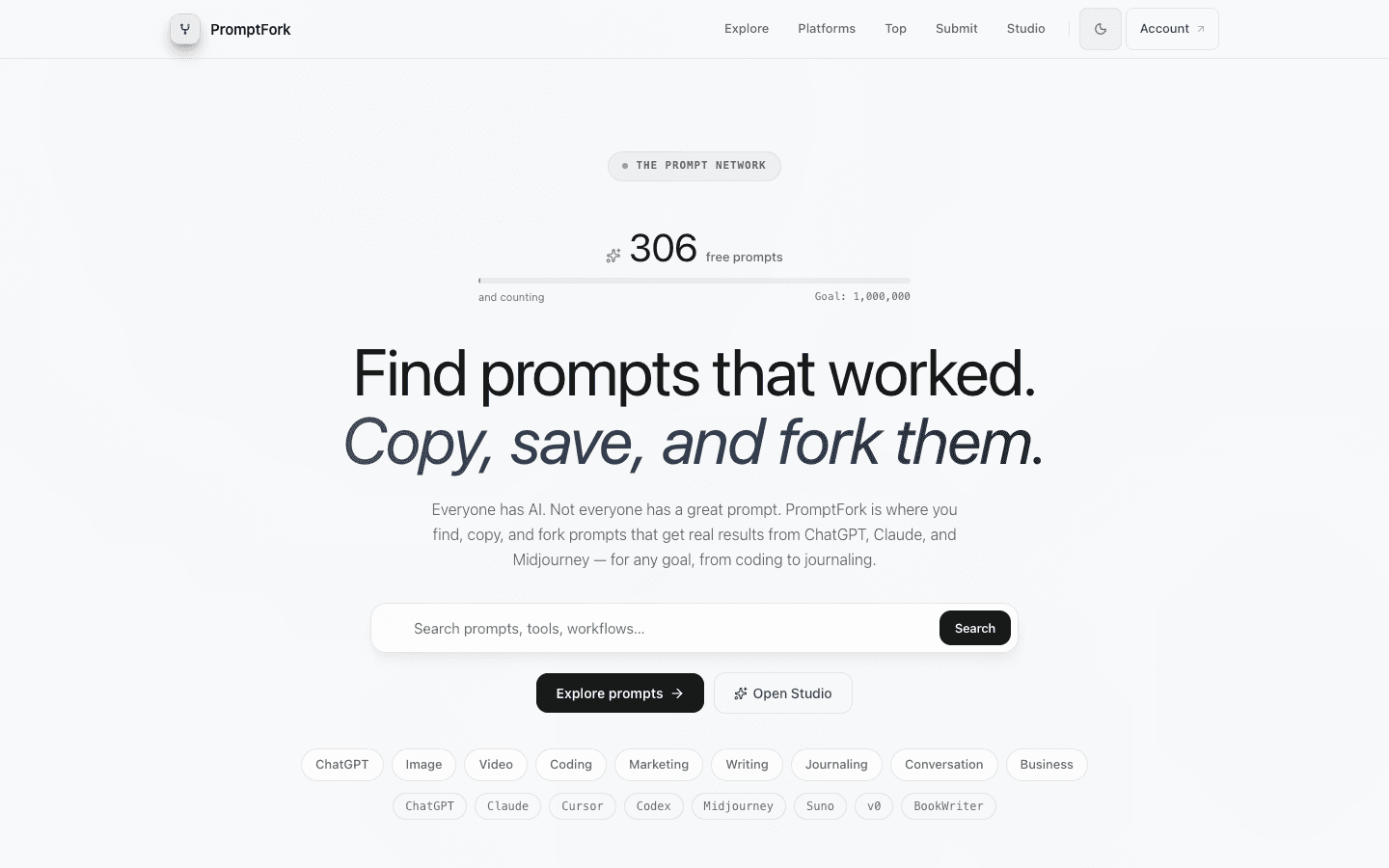
PromptFork
A prompt library where prompts carry receipts — find one that worked, copy it, fork it, make it yours.
2026 · Software · Shipped
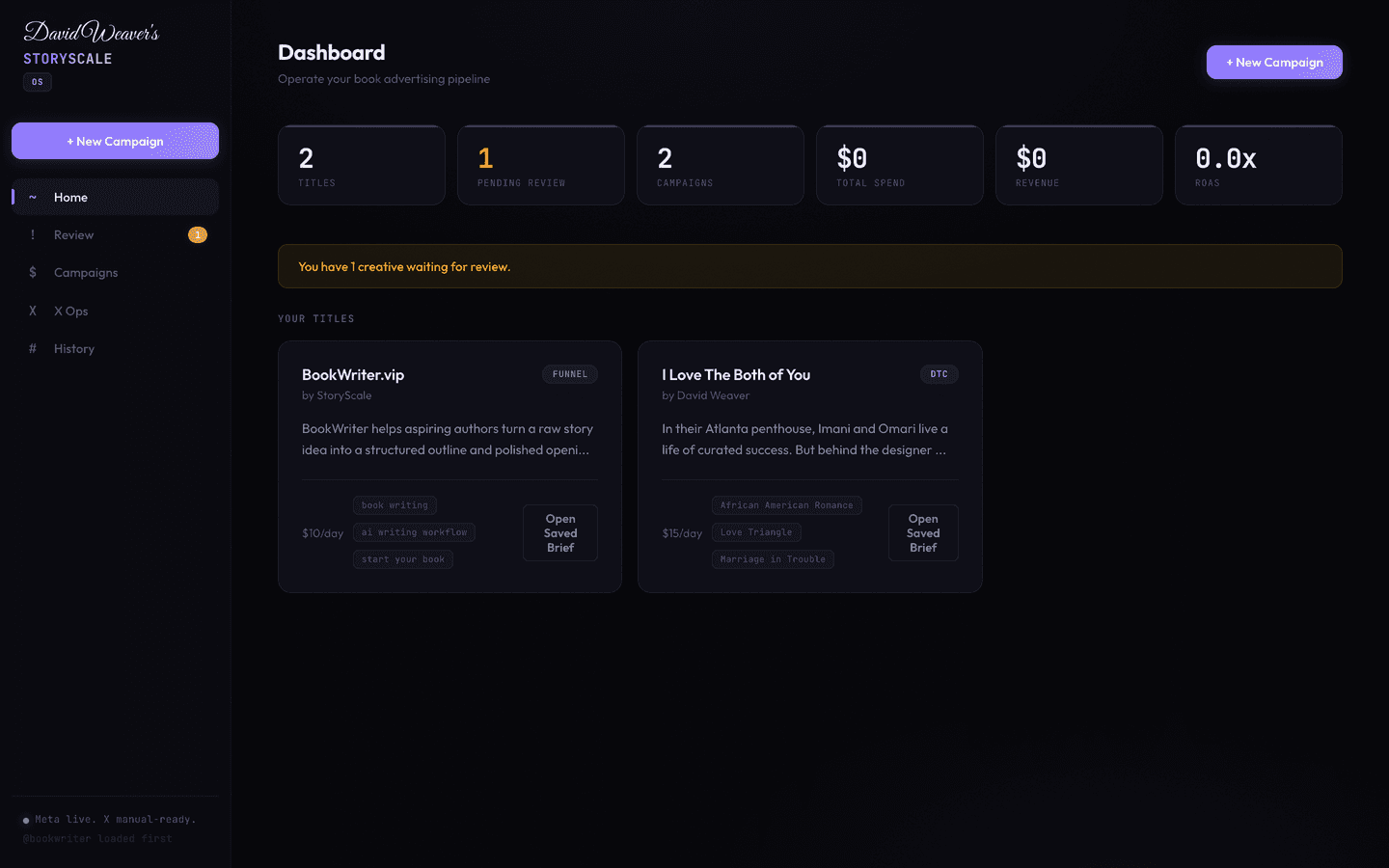
StoryScale
The internal growth engine behind BookWriter and BookReader — 20+ operational scripts, 36 API routes, ads, and video rendering.
Straight answers
Asked often. Answered honestly.
- Is AI integration just adding a chatbot to my site?
- No. A chatbot is one surface. Integration is wiring a model into whatever your product actually does — drafting, sorting, deciding — with metering, a privacy boundary, and a fallback behind it. The visible bubble is the smallest part.
- What does running an AI feature actually cost?
- It's a cost per call, priced in tokens, times how often people use it. A light feature can be cents per user a month; a heavy one with big context and retries can be dollars. The estimator above turns your own numbers into a monthly figure.
- Does integrating AI mean sending my customer data to a third party?
- Only what you choose to send. A real integration has a privacy boundary: you decide which fields the model sees and whether the provider may retain them. Most features can be built so raw customer PII never leaves your server.
- What happens when the AI is down or returns nonsense?
- That's the fallback path, and it isn't optional. Models time out and hallucinate. The feature needs a defined behavior for a bad response — a cached answer, a simpler route, or an honest retry — so a user never hits a dead spinner.
- Do I need to train my own model to integrate AI?
- Almost never. Most integration is calling a hosted model through an API and building the guardrails around it. Training or fine-tuning your own model is expensive and rarely the right first step. The work is the wiring, not the model.
- Can you add AI to my existing product without a rewrite?
- Usually yes. Most of these are surgical — one feature wired into what you already run, with the metering and fallbacks it needs. Tell me the outcome through the form and I'll send a written plan.
You have the cost. Now send me what you're building — I'll reply with a written, itemized plan, from the person who'd actually build it.